When you click on links to various merchants on this site and make a purchase, this can result in this site earning a commission. Affiliate programs and affiliations include, but are not limited to, the eBay Partner Network. As an Amazon Associate I earn from qualifying purchases. #ad #promotions
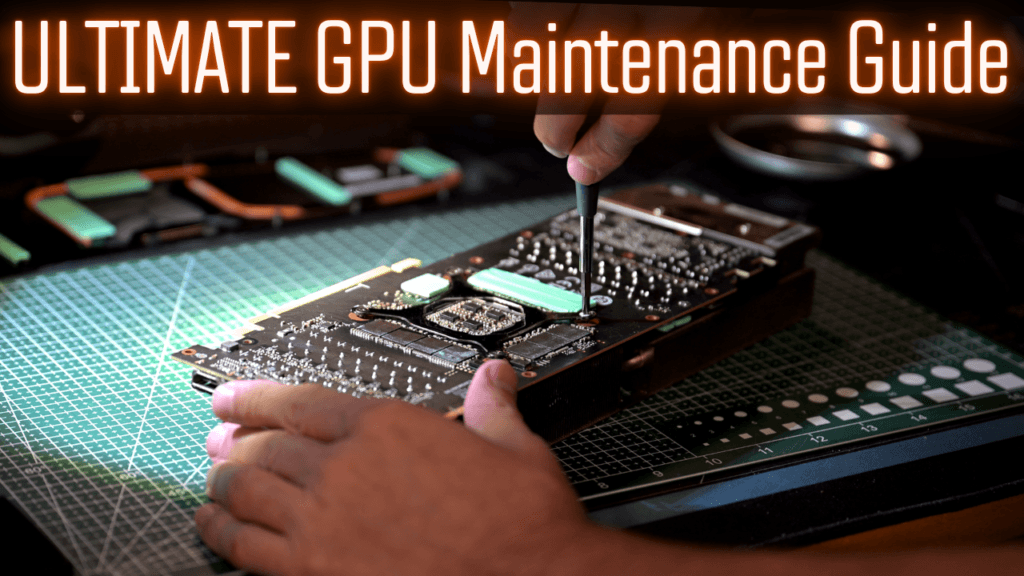






It is WAY too expensive to have a GPU fail out so here is some helpful tips and tricks that can keep your cards running in tip top shape and a few things to look out for as signs of issues. These concepts apply to all GPUs but will mainly focus on nvidia as that is what I know the most about. NVTOP in linux does also monitor AMD gpus in some distros.
Monitoring GPU for Overheating Signs
Monitoring is one of the first ways you will know if you have a GPU issue and a great free tool for this is NVTOP. In Ubuntu from the cli just apt install nvtop, in Windows you can use winget from the CLI. winget install -e –id Nervosys.Nvtop and this will create a shortcut in your menu that will launch nvtop. Once you get it open, you will see temps, CLOCKS, fan speed these are the primary things we will be monitoring. You must be running a punishing (to the GPU) workload to have any issues appear. They will not appear at idle. Games are a very poor way of having them appear as they are highly sporadic in their demand. Running local inference is an excellent way to stress GPU and vllm is especially good for that. In windows however you can just run furmark at 4K and that will fully push your GPU. While it is running, look for your GPU to exhibit a few common signs of issues that are easy to correct.
If you have fans that all of a sudden get louder this is probably the best indicator you need to install nvtop and check out what is going on.
Which Thermal pads or pastes are best for GPUS?
I think Thermal Grizzly is top notch from personal use. I am not sponsored or anything but they really do have good products and perform well over long timeframes. That is not to say there are not other viable pads, but it is a hassle to do this really. I just think it is a waste of time to half-ass it with lesser things that may or may not pan out myself. Depends on how you value spending your time, but I do not enjoy GPU maintenance myself and I have repadded and repadded 20 or so of them over the past 15 years and would be happy if there was never a next time. The Phasesheet hopefully gets me closer to that end.
Thermal Grizzly Phasesheet PTM https://geni.us/PhaseSheet-PTM
Thermal Grizzly Minus Pad Extreme 2 https://geni.us/TG-MinusPad-Extreme-2
Thermal Grizzly Minus Pad 8 https://geni.us/TG-MinusPad-8
How to Set Power Limits for Nvidia GPU
If you are interested in saving a decent amount of power and extending the life of your GPU and its thermal pads/pastes then you should consider using the built-in limiter function in nvidia-smi. The commands are simple and are best entered as a crontab in linux so you do not have to remember each time you restart to fire them off. @reboot nvidia-smi -pm 1 && nvidia-smi -pl 250 will attempt to set persistence mode on your nvidia gpus and then set the wattage to 250. On a 3090 this range is very acceptable and will not lead to a major degrade in inference workloads. Highly recommend this.
Use the rounded back of cheap dental probes to help gently pry up stuck thermal pads. These things have so many uses around a homelab I use mine weekly and not on my teeth. Electronics Probe Set https://geni.us/electronics-probe-set
A few great questions to know the answer to.
If you do not know, assume the worst. Load test while observing.
Used GPU Troubleshooting FAQ
What if you get a used GPU that is absolutely filthy AF on the board and all over? This is the condition I got some of my 3090s in and here is what I did that worked out fine. I stripped the gpu down to just the board, removed all thermal pads, then got a soft bristle toothbrush and poured a lot of 91% alcohol into a glass container. I did not fully submerge the board, but I dipped the brush into the standing alcohol and then brushed the entire board off gently. Once I got all the large spaces that I could fit in the brush done I used pipe cleaners soaked to get around the caps and vrm crevices. At the end I held the boards at an angle and “rinsed” then off with a light drizzle of alcohol out of the bottle. Do not use 70% alcohol, it leaves residue behind and doesnt dry fast. 91% dries perfect for this. 99% dries too fast. Wear gloves and eye protection and have ventilation in the area. The heatsinks you can fully submerge in water and use pipe cleaners in between the fins to remove gunk. It takes forever but it does work. At the end rinse the heatsink off in the sink with the sprayer and then bake them on 250 for 10 mins. Make sure there is nothing plastic on it, check the standoffs at the base.
Do not trust what you find online that other ppl have said is the measurements for pads for a GPU. The internet is filled with garbage inaccurate information and it will only get worse. Measure if you are buying a full repad. Digital Calipers https://geni.us/Digital-Calipers-Tool
Is it worth it to repad cheap GPUs? I personally would not do a full repad on my 3060s. I would repaste or use the Phasesheet TPM for one however if it was having issues.MAYBE someone would use some lower end pads but often those wont perform well for a gpu so it may backfire, hence my no on that. A 3070, probably. 3080+ yes. I do not think you are super likely to need to repad ADA generation GPUs unless they have really been run hard, however it may be time for repaste/TPM.
Thermal Grizzly also has a wide variety and several types including compressible ones. That can help for those hard to find .25 needs that sometimes you just cant buy easily.
Freezing the TPM for 15 mins is a great idea before cutting and then again before application. It really does make it separate from the red tab easier. Just land the stick the first time or it will tear, which is also not an issue it will reform once heated but it will make you feel better if it goes all in one clean sheet probably.
When you are cleaning the GPU die, I like to use a small brush and push the gunk up off the sides onto the top where it is easier to wipe up. It takes time to do it like this but this keeps thermal paste goop off the rest of the board. When cleaning the goop off a heatsink, you should keep going until your papertowel is clean.
Do NOT get rubbing alcohol on your thermal pads.
You can peel and stick thermal pads in between two plastic sandwich bags to protect them and reuse them.
A torn pad may be okay if you can cleanly get it rejoined and smooshed back up. A firm brittle pad is not okay. A crumbly pad is never okay. If a pad is leaking oily stuff, it is likely not high quality or it is not able to handle the thermal load. Replace.
Of course there is a whole video that goes with this article which of course feel free to drop a comment on.