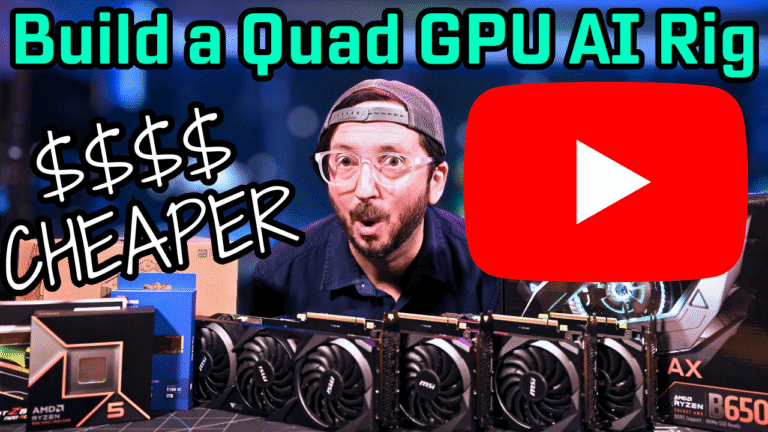
Local Ai Home Server Build at High End $3500-$5000

When you click on links to various merchants on this site and make a purchase, this can result in this site earning a commission. Affiliate programs and affiliations include, but are not limited to, the eBay Partner Network. As an Amazon Associate I earn from qualifying purchases. #ad #promotions

UPDATES
10/28/2025 – Added RYZEN 5900X Benchmark Numbers, Analysis and Tips/Tricks, Parts, Images
10/19/2025 – Changed PSU from Corsair HX1500i to ASROCK RACK 1600
10/15/2024 – Added performance table for a few LLMs from the DGX comparison video
09/26/2025 – Added Alt Config and Current Price Updated
quad-3090-r5-9600x-local-ai-server
If you are looking for an all around good machine that can grow with you if you want to get into training models at some point, then you may consider server grade or workstation class gear. We also are now in an updated new build video showing how you can run these quad 3090s for WAY CHEAPER and even in pure VRAM model loads, FASTER, on consumer Ryzen desktop hardware. If you run other workloads also that need to factor this in as well, a single machine like this is indeed a very “one and done” solution to homelabbin’ if paired with adequate storage, RAM and core count. Idle is configurable to be decent at around 105 watts idle with 4x 3090’s and 16 dimm slots populated with a water cooler and 64 core CPU in the server variant. Interestingly in untuned on the AMD R5 Ryzen 9600X variant it idles higher vs the MZ32-AR0. I just need to tune it, it’s not horrible at 150w idle but noteable. Quad 3090s do still kick it.

Server (AMD EPYC) Build Benchmarks

Part Product QTY Cost Subtotal
CHASSIS GPU Rack Frame 1 $55 $55
GPU 3090 24GB 4 $725 $2,900
PSU Asrock Rack 1600w PSU 1 $249 $249
NVMe NVMe Gen4 1TB 1 $60 $60
ACCY HDD Screws for Fans 1 $8 $8
CPU AMD EPYC 7702 1 $450 $450
MOBO MZ32-AR0 1 $558 $558
RAM DDR4 2400 ECC 512GB 1 $575 $575
COOLER Corsair H170i 1 $160 $160
RISERS 4x PCIe4 Risers 4 $40 $160

Okay I am not going to make you read tables to get to the bottom line. Here is a nice chart to outline this competition broken down by prompt processing and token generation.

Ollama vs Llama.cpp – Prompt Processing

Prompt Process - Ollama_RYZEN vs. Llama.cpp_RYZEN

Ollama vs Llama.cpp – Token Generation

Text Generation - Ollama_RYZEN vs. Llama.cpp_RYZEN

The base of the server variant of this Ai rig is what I used for the $2000 DeepSeek R1 671b video and at 4 tokens per second, it was surprising. I have since been able to tune the pure CPU only performance of Deepseek R1 671b to 6TPS on the same rig which is somewhat exciting. Joining the Quad 3090 build fold awesomeness is also my new favorite budget flavor, the Ryzen 5 9600X based B650 setup! It is cheaper, like a lot cheaper. RAM prices have really gotten crazy.

Parts and Price Details

PRICE CATEGORY: $3892 (Ryzen) to $5500 (EPYC)

GPU VRAM: 96

PRICE/GB/VRAM: $36.45 to $57.21

Ryzen 9600X Quad 3090 Build Video: https://www.youtube.com/watch?v=So7tqRSZ0s8

EPYC 7702 Quad 3090 1 Yr Review Video: https://www.youtube.com/watch?v=gNexETeCLko

GPU ALTERNATIVES: Very many actually in the EPYC variant. You can even hook up 2 extra GPUs if your power envelope allows or use nvidia-smi to set your gpus wattage maximums per the ollama setup guides crontab. You would need around a 2kW PSU or a dual PSU setup ideally.

There are 2 versions of this build you can run of this that has a lot to do with use cases. If your use case is primarily inference for models that will fit fully in VRAM vs CPU offloaded huge LLMs you can save a LOT. Like $1300 off the server package. The RYZEN build is also somewhat faster it appears around 10% on Token generation and 12% on Prompt Processing, but that needs further research. Here are the components that differ between the two. (Prices are approximate)

Ryzen Quad GPU Build Parts

Part Product Cost
CPU R5 9600x $197
MOBO Gigabyte B650 AX Eagle $158
RAM G.SKILL Ripjaws S5 64GB $158
COOLER Low Profile AM4/AM5 $158
RISERS 4x PCIe3 Risers   (Just get high quality risers) $80
Total $620

Refer to the video for a full overview of how this impacts the use cases for the rig.

EPYC Quad GPU Build Parts

Part Product Cost
CPU AMD EPYC 7702 $450
MOBO MZ32-AR0 $558
RAM DDR4 2400 ECC 512GB $575
COOLER Corsair H170i $160
RISERS 4x PCIe4 Risers $160
Total $1,903

The current price delta at time of writing this is $1283.00 which is pretty significant. That lowers the $5K to $3.8K given the same GPUs/PSU/Frame/Storage are used. Those common components shared between both systems include the GPUs of note.

Shared Common Components

Part Product QTY Cost Subtotal
CHASSIS GPU Rack Frame 1 $55.00 $55
GPU 3090 24GB 4 $725.00 $2,900
PSU Asrock Rack 1600w PSU 1 $249.00 $249
NVMe NVMe Gen4 1TB 1 $60.00 $60
ACCY HDD Rack Screws for Fans 1 $8.00 $8
Total $3,272

Total Cost of Ownership

This leads to a total system cost for the Ryzen alternative build of $620 + $3,272 = $3,892

The total system cost for the AMD EPYC variation is $1,903 + $3,272= $5,175

That is a total system cost difference in price of $5,175 – $3,892 = $1,283

Here is the first video I did after I built the original Quad 3090 rig. It has a lot of assembly alpha you need if you want to do a quad 3090 build. Much of the learnings in if also apply to other open air rig frame builds.

OG Server Video – https://www.youtube.com/watch?v=JN4EhaM7vyw

Ai Server Tips and Tricks

  • Ensure you have good airflow over the system board. Fans. Many fans. All over the place.
  • You can run Inference workloads off the CPU and System RAM that are massive and them perform decently. The Deepseek R1 671b is a great example of this at around 4 tps. (now 6)
  • You need to get those 4x cables on an MZ32-AR0 to span from the NVMe headers to the ports above slot 7 on the mobo to enable full Gen4 x16 from that port. Those cables may be able to be connected to other interesting options like risers possibly which is a reason to consider a MZ32-AR0 over an H12SSL-i motherboard. Other then that, its costly and if you are hitting just 4 GPUs then an H12 ssl-i is a better option overall.
  • You can totally use an air cooler for the SP3 format. Likely easier, I used the water block as I had it around.
  • The AMD 7V13 is a commenter recommendation and looks like a very good upgrade at its price point and has much better single thread speed vs a 7702.
  • You CAN get faster RAM all the way up to 3200 DDR4 JEDEC but for a server it really wont have massive impact on CPU Inference tasks.

GPU Rack Modified Mounting Guide

  • Assembly Hacks: This is what you need to know to get the mounts correctly drilled. I am assuming you are using the rack in the gear outlined above. If you see a RED circled screw location, you will need to alter the placement by either drilling a new hole, shifting up the metal piece or both. If you see a BLUE circle, that is a standard hole location that does NOT have to be redrilled but may have a part that is adjusted attached to it.

The 420mm AIO water cooler is stellar on this chip. It may be overkill but the tubing does reach. I had to test a lot of things to get this all to work out neatly. You will see A LOT of very poorly put together racks out there for GPUs and the reason is these originally had been designed around very thin and flexible GPU risers for USB (1x)  and the ridged 4x connectors require a shift in placement of the support bar.

Running an LLM Locally on, say OLLAMA or Llama.cpp does not require massive GPU/RAM PCIe bandwidth. A single lane of Gen 3 speeds can be fine for chat style inference. If you want to however train, image or video generate or fine-tune a model you do need to have as much PCIe bandwidth as you can which makes a server grade motherboard a good option. You can run one to six GPUs at full Gen4 PCIe 16x Bandwidth with something like this AMD EPYC. Basically for those workloads multiple GPUs running at whatever the latest and greatest PCIe gen is ideal.