When you click on links to various merchants on this site and make a purchase, this can result in this site earning a commission. Affiliate programs and affiliations include, but are not limited to, the eBay Partner Network. As an Amazon Associate I earn from qualifying purchases. #ad #promotions




Before we get into the concepts around this, let’s start with some evaluation based on use cases. You need to have an idea why you are building so here are some common uses.
Homelab Storage Server Use Cases
Shared Drive Network Storage
This is the standard place you pile your stuff into and pull stuff out of. Not fancy, often unorganized, but hopefully also highly performant. Do not fear running multiple datasets, that is a good key to having a great ZFS experience it turns out. Aligning some of those datasets to use cases is also a very good idea if you know the write activity, block sizes, storage access patterns and intended performance demands.
Cloud Services Replacement
More subscription is not something you hear often, or ever. Fatigue with cloud providers price hikes and limited services are mounting. One think that stands out in self hosting is that you will often have a superior product vs any cloud based product. Also people desire convenience, data sovereignty and privacy which only convenience is well met with cloud offerings. We will replace most Microsoft and Google services with self hosted services in Nextcloud and Immich as a goal.
Machine Virtualization
Running a VM is a powerful way to get additional use out of your system. Virtual machines do take up a larger footprint vs a docker, k3 or lxc container but are full systems. That allows you to deploy inside them anything you want. Nested Operating Systems are not as slow as many people think on even semi-modern hardware. An E3 V4 is still a very capable CPU for virtualization.
Hosting S3 Storage for Proxmox Virtualized Hosts
iSCSI over ZFS is a thing and it is cool. TrueNAS provides a nice way for you to have some awesome performance if you can control latency with good networking gear. Also note that at 25GbE+ you hit a lower level on latency vs 10GbE gear often.
Computer Backups
Backups are the only way you will have your data long term secured. Eventually you will need them, so we will set them up. Backing up over network shares is a viable option with TrueNAS and Windows which we will accomplish. You also can backup from one TrueNAS machine to another TrueNAS machine, and even use the storj network to backup offsite to an encrypted highly redundant decentralized cloud.
Photo and Video Storage
If you are a photographer, you need a NAS. If you are a content creator, you need a NAS. If you want to move your image library off the cloud and locally host it with more then is offered in-cloud features, you need a NAS. Tune a special metadata device and dataset to really hum with small and large content. Editing directly off a shared storage server with 10GbE is a common video content creator workflow.
Home Automation
Want to get into Home Automation and IoT device capabilities to really take your quality of life to another level? You need Home Assistant. One of the more typical ways to deploy Home Assistant is on a RPi, but now we can piggyback it off our TrueNAS instance in a few clicks. This handy app is available in their store for Docker also.
Local AI Model Storage
Ollama and OpenWebUI are a powerful combo that can fully support really fun capabilities for local web based Chat, audio chat, document knowledgebase creation and processing and a whole lot more. The LLMs they need to access at times can be pretty large however and storing a lot of them locally to share among processing nodes is a good idea and use case for a NAS. For LLM storage, a File Storage type share is ideal. Training may be a totally different thing however as demand on storage i/o performance is very high. Outside the scope of my knowledge but interesting.
Document Processing
Using a locally powered paperlessngx setup connected to a local ai is really fun. Other populate options include Tesseract OCR and UnPaper which are somewhat OG ETL programs. A File Storage type network share is ideal for this.
Logging
Storing your Log files to a centralized location provides you with an efficient way to parse and rotate. A File Storage type network share is ideal for this.
NVR
Creating a network share that video gets dumped to and possibly processed from is a great use case for a local NAS. You may want to run a specialized drive or two in a configuration that allows for faster streaming playback. A File Storage type network share is ideal for this.
Server Vs Desktop Vs Mini for a Storage Server
This answer to this is fairly straightforward to me yet this is among the most common questions around storage servers and TrueNAS around the internet. It is a bad idea to read a recipe online or in a video and apply that to your homelab without critical evaluation of the specifics around the needed use cases, budget, current capacity demand, capacity growth forecast, and of course operations costs. Almost all of the chatter on places like reddit leaves out these critical pieces of information before someone jumps in and provides specific recommendations. First let’s examine my use cases and outline explicitly non-needed use cases as well for my new storage server that fueled these videos and articles. Refer to the preceding explanation of common use cases in addition to the specifics below.
DSP’s use cases
DSP’s anti-use cases
Overall I need a balance of performance and capacity with my last concern being ongoing operational costs as I have a great electric rate at 0.10 cents per kWh. I already have racks, so rack mounted gear is always on the table for consideration. My current demand is 36TB and my anticipated demand is 58TB. If I offloaded all the recent shoots videos from the all flash nas, that could add a few TB also. I’m not sure what to forecast for LLM’s either and I need to start deleting at some point. I like to factor in about 10-15% reserve in my array but also have several datasets. I have been toying with the idea of 2 storage pools in a server also, and if I had 16 bays that would be pretty viable. Doable in a server setup, not in most desktops and certainly not in a mini. Anticipating around 22TB of growth is not trivial either and I would like to always be under vs over. Having 60-70TB of usable space sounds like a good minimum and 80TB would be a good upper bound. Being able to hit good write performance is lower on my need horizon vs good read performance, as video chunks are all over the place when scanning and searching. This all came together on eBay when I was looking for a new server that could be my step up from my R720XD. The R730XD having 4 extra 3.5″ trays of capacity is a game changer for a quiet 2U server imo, and the price was very very good. I already had the 14TB drives, RAM and the E5-2696V4 CPUs so barebones was a good option. Mini was never in the cards price wise as it is a very high premium upfront cost typically for these systems and the associated flash in high TB ranges they need to hit large system sizes. Towers like a Z440 or T7910 are out, as they don’t have enough hdd storage space. A desktop like a Fractal Define Meshify XL 2 could fit the bill nice here and was a contended, but mine is occupied with a rig that is not going to be left on at all times already. PITA factor, high on that case swap. A serve makes more sense given the above consideration, and the R730XD I put together fit the bill nice.
Did I mention we dropped a video on the R730XD yet? How could I forget, I am a YT’r after all right!
https://www.youtube.com/watch?v=dgjBdhS1rCE
My New TrueNAS Storage Server R730XD
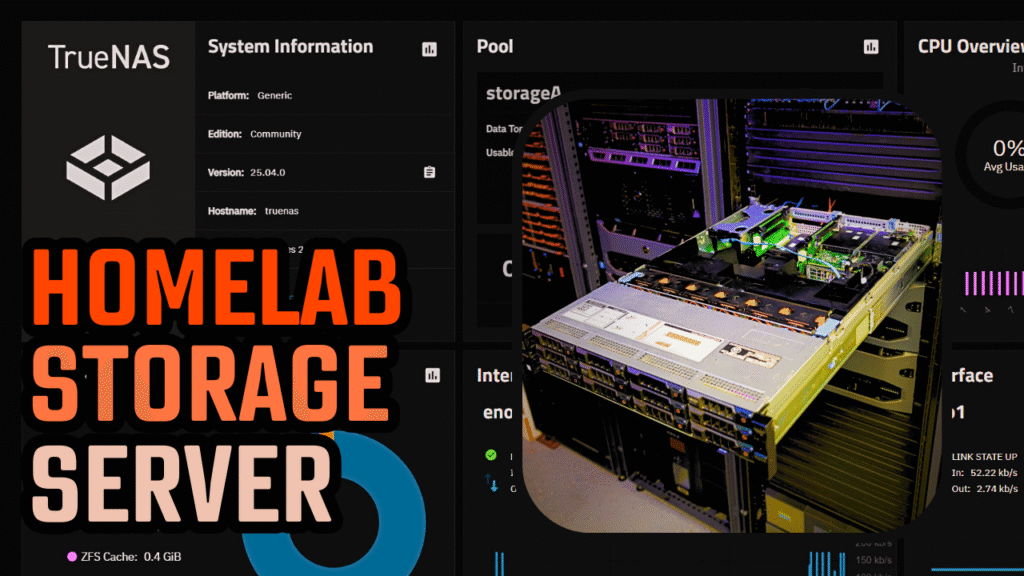
The Dell R730XD has a decent assortment of chassis, drive layouts supported, Dual GPU capability, Lots of PCIe lanes and slots, hot swap bays, redundant PSUs, iDRAC KVM/BMC.
R730XD Parts
The Dell R730XD has some cool additional parts that are worth looking into that can customize your server and add even more capacity to your storage. Including an additional 4x 3.5″ hdd bays that can serve as the air channel bringing the total count of 3.5″ drives to 16. A good way if you are growing ZFS array by adding in another raidz-1 vdev with 4 drives in it. I regret already not buying the barebones system that is $50 more and has the trays and heatsinks already for that. Ugh!
A few things to consider. I do not think the 2696V4 makes sense at its current price. The 2699V4 is cheaper but neither are a good recommendation. The 2695V4 however is REALLY a lot cheaper and 18 cores is an entire homelab worth of processing still. For around $30 bucks, much cheaper vs the 150+ range of the highest tier chips + heat seems like a good tradeoff.
TrueNAS Storage in simple terms
ZFS Overview and Concepts
You must have a backup on another machine and also in another location to be really safe in your data storage adventure. You should also likely not consider it an adventure but rather a job that is best done proactively and with some though put into the design you will be living with for a while.
ZFS relies on structures called ZPOOLS, or just pools less annoyingly, to hold VDEVs. VDEVS hold devices. Devices are pieces of storage hardware. Redundancy for failures does NOT happen at the pool level, it happens at the VDEV level. If building a mega pool is your goal, please realize this is going to get cumbersome and your data is at risk. This can also get very expensive based upon how to grow up or out, so choosing wise is advised. A pool needs at least one VDEV, but it can have many.
ZFS POOL TYPES
Striped – You hate your data and want it to all get destroyed when a single drive in the array blows up. Also possibly a decent idea if you only care about bandwidth and not latency and the data you are storing is not valuable at all and catastrophic loss is acceptable.
Mirrored – Perfect if you want good performance balance and safety and are willing to toss “extra” hard drives at that goal. A common arrangement is a 2 wide, 6 vdev setup in a 12 disk scenario and it will provide very good performance. It can be advisable to run a hot spare in 2×6. A 3 wide, 4 vdev setup however is a better “very safe” option that is still pretty performant but in that instance it is a good idea to consider a RAID-Z2 first, as the waste in a 3×4 is hard to mentally accept.
Raid-Z1 – This allows for 1 drive to fail in a vdev and still be okay. If a second drive fails during this time, the data is gone. It can be advisable to run a hot spare but then why not just run a…
Raid-Z2 – This is possibly the ultimate ZFS Pool type. You can have 2 drives fail and still be recoverable until the third fails, which is a much lower likelyhood. Hot spare + Z1 or added active parity is a win for Z2 imo.
Raid-Z3 – The data CANNOT die. You of course have offsite backups on alternate media you rotate.
dRaid (all) – You have jbods and lots of drives. You want fast rebuilds. You dont mind riding newish tech with your data (I do mind myself, which is why I wouldn’t for data I care about)
ZFS VDEV TYPES
ZFS has several types of vdevs of either a normal and special type. Knowing the differences, capabilities, performance and drawbacks is absolutely critical. Catastrophic data loss is a very real and unfortunate side effect of poor selection or certain vdev failure. Poor performance is also a likely drawback if you fail to implement proper vdev layouts.
ZVOL
The ZFS ZVOL is a block level storage device. This is likely not what you think of with files and attributes decorated in a folder. It is highly space efficient and also obscured from the ZFS host itself. When presented over iSCSI, the host that attaches to the ZVOL sees essentially what you see when you mount a brand new disk, empty space. The host that has mounted the ZVOL will create the filesystem on top of that and manage the files, folders and attributes itself. Primary use cases: Shared storage for Virtual Machines and containers. iSCSI mounts for PXE booting systems, Low latency network attachable storage. We will deploy one for remote access from a windows host.
DATASETS
This is the big one. It is for sure what you are thinking of when you think of file storage. Files. Folders. Attributes. All laid out in dataset. Readable to a human on the machine and to a network computer mounted to the share at the same time. There are a lot of dataset options to set and I will cover those that you are most likely to want to adjust for performance and for ease of use.
SPECIAL VDEVs
These are like magic that you can bolt onto a pool. Each enables some extra functionality, and each has strengths and weaknesses. This is an easy way to also cause catastrophic data loss by not being careful if you lose a metadata or dedup device! Redundancy on those is critical so please be careful and do not use a stripe. We will add a metadata and cache device to our pool today.
System Costs
116TiB of usable storage space is a lot of room in addition to a rather feature rich storage server at $1,900 and the best price/TB I found as of 5/5/25. The drives are 1392 of that so the rest of the system is $536 with the flash as outlined, and the 128GB of DDR4. That might not be a needed size based on your intended workloads and 64GB is a very good size as well.
I would be mindful of resilver times if you anticipate to go really large with hdds and especially if you have a raid-z1. If you must, then be sure to go with drives from different lots if you can to hopefully avoid any timebomb batches.
With 10TB HDDs you would end up with a price of $1,530 yet at a higher marginal price per TB. The rebuild time would be faster however in the event of a drive failure once your dataset grows.
You may have some current hard drives laying around, and it is perfectly fine to set those up in a pool and later create another pool or grow your Raid array now thanks to RAID expansion in ZFS. They do not have to be the same size, brand, connector and multiple pools does offer some advantages in granularity of performance or security based on how you set it up.
Power Usage
Ongoing electrical costs for any homelabber make a big difference based on the kWh utilized and the kWh rate paid. I am lucky to be near 0.10 cents per kWh locally and this makes for cheaper ongoing operations vs other regions rates. I would recommend you divide your fully delivered cost by kWh also to arrive at your actual rate. Here is the breakdown of electrical costs per kWh from 0.10 USD to 0.50 USD in annual, monthly and daily expenses.
You need to know some important baseline numbers for any system you deploy that is likely to be running 24/7/365 like a storage server. A NAS is a great home server, and even better if it can be an all-in-one unit that takes on all your home server compute needs also. Using an inappropriate number of disks, obsolete hardware, or over spec’d high performance gear will adversely impact your electric bill, so we will evaluate the impact on cost with a chart based off various per killawatt hour rates for electric. I would recommend you divide your fully delivered cost by kWh also to arrive at your actual rate. Here is the breakdown of electrical costs per kWh from 0.10 USD to 0.50 USD in annual, monthly and daily expenses.
Idle wattage annual, monthly and daily cost and efficiency for R730XD
I have not tried to get the base setups wattage lower than the 175 stock it goes, but I am sure that is possible to some degree fairly easily. I would expect to be able to land around 150 watts but what I observed stock is what I am reporting. Also note these are idle costs, and you could see this wattage demand double if you ran full-time heavy multithreaded data processing. Luckily that is not a common thing to do so you will know if that usage profile impacts you. Given this system can power 2x GPUs also (with 1100 watt PSUs) and has 22c/44t maximum processor spec it could be safe to assume it would double under heavy load.
Overall the first yr and second yr cost breaks down as follows, as well as the cost per effective TiB of storage during those timeframes.
The first year costs include the cost of the gear also. I personally wouldnt care up to around .2 myself, nothing would be altered in this planning. If you have an electric rate above .3, I would be considering only lowish watt and only med-high (18TB+) density hard drives. If you have a cost above .4, you should likely be tending to flash and high density (20TB+) drives. At .5, things are just hard to host locally. Lights are hard to consider hosting locally hell. Maybe moving is your only solution if you want to self host anything not all-flash and ultra low wattage.
UPS and battery backed NAND
Running a Storage Server is a mission critical task in most enterprises. While you are not an enterprise, your data is likely highly valuable to you and you should adhere to some of the common methodologies in enterprise storage. One of the primary Do’s is to have a quality UPS that is providing power to your system. You should also consider only running a LOG VDEV if you have a use case like a database and you also have a capacitor backed flash device such as an RMS-200 or NVMe with battery onboard. An optane can also stand in very well if you decide you must have a log device. Failing that you can destroy your performance data pretty bad when you turn on sync writes always.
Truenas Scale CE Step-by-Step for Beginners Video
The video is a full guide that works through a complete setup with my take on a decently safe, decently performant, 100TiB+ storage server. I will outline some assumptions but here is the video as well.
https://www.youtube.com/watch?v=zcSn35JGOqA
here are some important assumptions that I think are best written out to be clear that I put into the video.
All Common HDD Sizes
24TB https://geni.us/24TB-HDD
22TB https://geni.us/22TB-HDD
20TB https://geni.us/20TB-HDD
18TB https://geni.us/18TB_HDD
14TB https://geni.us/14TB-HDD
10TB https://geni.us/10TB-HDD
8TB https://geni.us/8TB-HDD
6TB https://geni.us/6TB-HDD
4TB https://geni.us/4TB-HDD
Current value analysis as of 5-15-2025
24TB at $306 ($12.75/TB)
22TB at $260 ($11.82/TB)
20TB at $201 ($10.05/TB)
18TB at $165 ($9.17/TB)
16TB at $165 ($10.31/TB)
14TB at $111 (SAS @$7.93/TB, SATA @$9.14/TB)
12TB at $110 ($9.17/TB)
10TB at $80 ($8/TB)
8TB at $60 ($7.5/TB)
6TB at $40 ($6.67/TB)
4TB at $20 ($5/TB)
Best Value for Capacity
14TB SAS at $7.93/TB
14TB SATA at $9.14/TB
Lowest Cost per TB
4TB at $5.00/TB
6TB at $6.67/TB
8TB at $7.50/TB
14TB at $7.93/TB